
!本篇文章会介绍 Vue Composition API 与 React hooks 的用法,并假设你已对两者其中之一有基本认识。

# 前言
嗨!
我是 Benben,这是我第一次尝试用全英文写文章(也可能是最后一次 XD)。
为什么我会写这篇文章?
:我还在学 React 和 Vue,而且两个都非常喜欢!
那为什么要用英文写?
:因为我也还在学英文。其实我的母语是国语(准确说是繁体中文)。但在现实世界里,英文是软件开发者最常用的语言,有非常非常多的文档是用英文写的,甚至只有英文版。
我不是在炫耀自己英文有多好。事实上,我的多益(TOEIC)只考了 550 分(满分 990),听起来很扯吧?但其实也没什么好意外的,对某些人来说,这篇文章可能就是一坨屎,这点我不反驳。但你知道吗?也许 1~3 年后,这坨屎文章会让我在这个领域成功也说不一定,谁知道呢?
好啦,废话够了。来写点 code 吧。
# 开始之前
所以,当你加入了 Vue 与 React 框架的战争,你会选一边站——通常是比较偏爱的那一边。对大多数人来说,那个框架可能就是他们唯一学过的。
但有些开发者会试着去理解另一方(Angular:我不是塑胶做的)。这是个美好但罕见的情境。大多数人喜欢打宗教战,为自己的信仰而战。
很难让人承认这些争论对任何人其实都没什么帮助。因为在软件领域,没有银弹。也就是说,没有任何一个工具可以在所有情境下都是最好的。
你必须把眼光放长远。不是因为旧东西变化很快,也不是因为新东西很难学,而是因为 everything fails all the time(所有东西随时都在故障)。
everything fails all the time - Werner Vogels(Amazon 副总裁暨技术长)
# 基本用法
来看看基本用法 —— Counter(计数器)!
一个简单的计数器,永远是学习新前端框架最好的范例。它让我们看到如何定义响应式数据,以及响应式数据如何驱动视图层。
以下是简单的范例。
in react
import {useState} from 'react'

const Counter = () => {
  const [count, setCount] = useSate(0)
  return (
    <div>
      <h1>Counter:</h1>
      <button onClick={() => setCount(count + 1)}>you click: {count} times!</button>
    </div>
  )
}

export default Counter
in vue
<script setup>
  import {ref} from 'vue'
  const count = ref(0)
  const addCount = () => ref.value++
</script>

<template>
  <h1>Counter:</h1>
  <button @click="addCount">you click: {{ count }} times!</button>
</template>
两者其实差别不大,对吧?
但两者背后的精神还是不一样。
我不是要谈 MVC、MVVM 模型之类的东西。我想这个话题让很多人感到困惑。以 MVC 来说,M 是什么?V 是什么?C 是什么?又要如何实作它们?没有标准答案。
延伸阅读:What is the difference between MVC and MVVM? - Stack Overflow
让我们保持简单,看看我们得到了什么。
在 React 中,你写一个 component 比较像是把所有东西都写在 JavaScript 里(CSS 也可以放进 JavaScript,例如 CSS-in-JS)。
react
const Component = () => {
  // JS/TS here! like logic, hooks etc.
  return <div>{/* Template here! */}</div>
}

export default Component
在 Vue 中,你写一个 component 比较像是一个小型的 HTML/JS/CSS 实例。
vue
<script setup>
  // JS/TS here! like logic, composition API etc.
</script>

<template>
  <!-- Template here! -->
</template>
另一方面,CSS 又是另一回事了。有非常多的解决方案,你可以选自己需要的,或者跟着自己的信仰走,但这就有点离题了。
在我来看,我觉得 Vue 对其他竞争者抱持着非常开放的心态。
延伸阅读:https://vuejs.org/guide/extras/composition-api-faq.html#comparison-with-react-hooks
除此之外,我认为 React 的文档有点过时了。我相信很多人第一次尝试学 React(特别是 16.8 之后)时,都会有一个疑问:「应该先学 Class component,还是先学 Hooks?」
在 2022 年,我会说先学 Hooks,但还是要学一些 Class component,因为你可能需要维护用 Class component 写的旧代码。此外,class component 也包含了许多好的程式设计概念,像是 classes、inherit、this 等等。
最近 React 也翻新了他们的文档(2022.06)。这对所有人来说都是好消息。
如我们所见,React Hooks 功能比 Vue Composition API 早推出。但 Vue Composition API 的新文档却比 React 的新文档早很多推出。
我敢打赌这次翻新是受到 Vue 的启发。Vue3 的新文档在 2022.02(大约农历新年时候)推出,非常令人惊艳。两份新文档都有暗色模式,对新手更友善,也有更多代码范例等等。我觉得这是一种良性竞争,而我们开发者从中受惠。单凭其中一方,是无法达到这个高度的。
# Composition API 与 Hooks
让我们更深入探讨 Composition API 与 React Hooks。
这里有一个类似 Counter 的范例,但我们在里面加上了一个 global counter 功能。
我们只用 React 或 Vue 原生的 API,而不使用 Redux/Zustand 或 Vuex/Pinia 之类的状态管理 library。
in Vue3 Composition API
useCounter.js
import {ref} from 'vue'

// global
const globalCount = ref(0)
const addGlobalCount = () => globalCount.value++

export const useCounter = () => {
  // local
  const localCount = ref(0)
  const addLocalCount = () => localCount.value++

  return {
    globalCount,
    addGlobalCount,
    localCount,
    addLocalCount,
  }
}
Counter.vue
<script setup>
import { useCounter } from '../composition/useCounter'

const { msg } = defineProps()

const {
  globalCount,
  addGlobalCount,
  localCount,
  addLocalCount,
} = useCounter()
</script>

<template>
  <div class="card">
    <button type="button" @click="addLocalCount">
      {{ msg }} count is: {{ localCount }}
    </button>
    <button type="button" @click="addGlobalCount">
      global count is: {{ globalCount }}
    </button>
  </div>
</template>
app.vue
<script setup>
  import Counter from './components/Counter.vue'
  import {useCounter} from './composition/useCounter'

  const {globalCount} = useCounter()
</script>

<template>
  <div>
    <p>Global count is {{ globalCount }}</p>
  </div>
  <Counter msg="first" />
  <Counter msg="second" />
</template>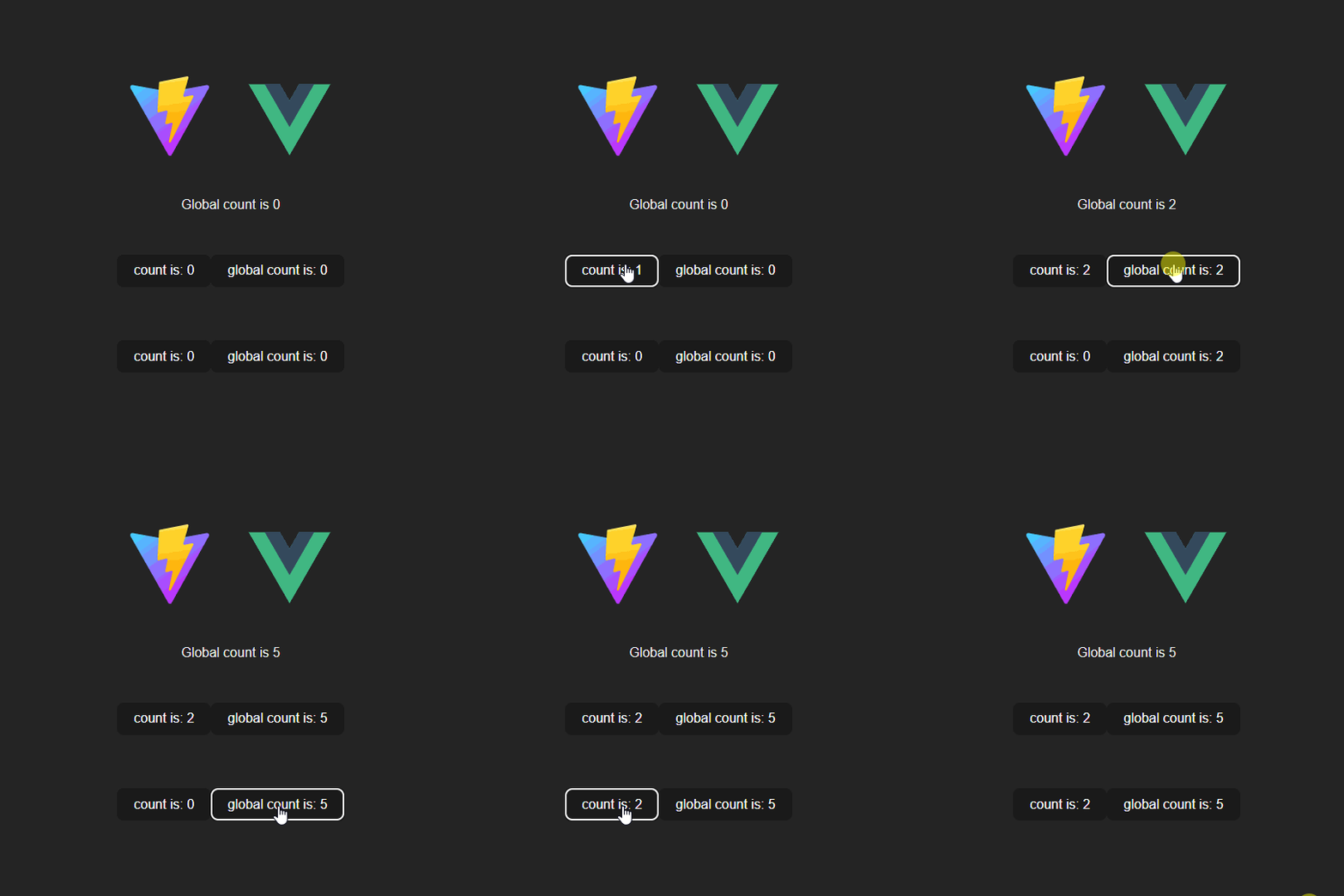
完整原始码请见 full source code
in React hook
Counter.jsx
import {useState, useContext} from 'react'
import {GlobalCounterContext} from './contexts'

const Counter = ({id}) => {
  const [count, setCount] = useState(0)
  const {globalCount, setGlobalCount} = useContext(GlobalCounterContext)
  return (
    <div>
      <button onClick={() => setCount((count) => count + 1)}>
        {id} count is: {count}
      </button>
      <button onClick={() => setGlobalCount((count) => count + 1)}>global count is {globalCount}</button>
    </div>
  )
}

export default Counter
App.jsx
import {useState} from 'react'
import Counter from './Counter'
import {GlobalCounterContext} from './contexts'

function App() {
  const [globalCount, setGlobalCount] = useState(0)

  return (
    <GlobalCounterContext.Provider value={{globalCount, setGlobalCount}}>
      <div className="App">
        <h1>Vite + React</h1>
        <p>global count: {globalCount}</p>
        <div className="card">
          <Counter id="first" />
          <Counter id="second" />
        </div>
      </div>
    </GlobalCounterContext.Provider>
  )
}

export default App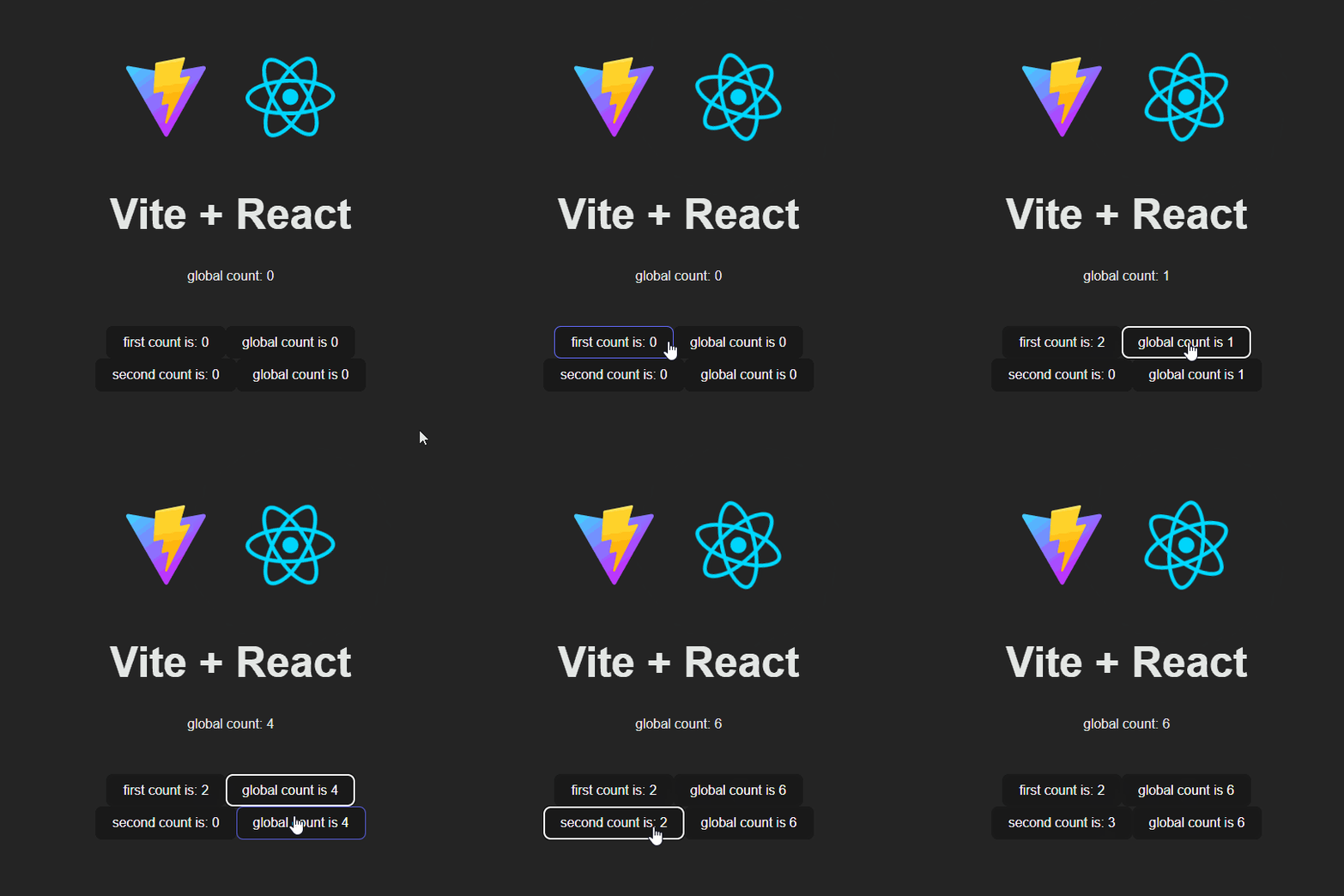
完整原始码请见 full source code
在这个范例中,React 与 Vue 最大的差别在于:React 的 hook 不能 写在最顶层以外的地方,而 Vue3 的 Composition API 可以!
这就是为什么有人说 Composition API 可以取代 Vuex(Pinia)。而 React 中的 useContext 扮演着同样的角色。
事实上,在小项目中使用它们完全没问题。但当你要打造更大的项目时,可以考虑使用 Redux / Vuex(Pinia),它们是更合理的选择。
React 的 hook 非常有创意。
但在像这个范例的一些情境中,Vue 的 Composition API 更灵活、更直觉。
如果想看更多 React 与 Vue 的比较:I created the exact same app in React and Vue. Here are the differences. | by Sunil Sandhu
# React 与 Vue
我认为 React 与 Vue 亦敌亦友,React hooks 确实启发了 Vue 的 Composition API —— 这点在 Vue 的文档中有提到,Vue 也承认了。
在我来看,这是良性竞争,而不是「内卷」。
想象一下这个情境:如果世界上只剩下 React,或只剩下 Vue。
也许光只有 React 或 Vue,它们不会这么强大。但正因为两者并存,人们才能讨论它们、为它们争辩、喜爱它们。
感谢 React 与 Vue,它们确实让前端开发变得更简单。即使是平凡如我,也能打造一些简单的 web app。
我很庆幸我们活在一个最好的时代。
干杯,祝 coding 愉快。
# Ref
- I created the exact same app in React and Vue. Here are the differences. | by Sunil Sandhu
- A Complete Guide to useEffect — Overreacted | by Dan
- Composition API FAQ | Vue.js
- React Docs Beta

This work is licensed under a Creative Commons Attribution 4.0 International License. You can find me at benben.me